



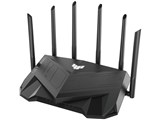
TUF-AX5400
- v6プラス対応のWi-Fi6(802.11ax) デュアルバンドゲーミングWi-Fi無線ルーター。5GHz帯の160MHzチャンネル幅で最大4804Mbpsの高速通信を実現。
- 複数のWi-Fiルーターをつなぎ合わせて、隅々まで広い通信範囲を提供するメッシュネットワークシステム「AiMesh」に対応する。
- 「ゲーミングLANポート」を搭載し、接続ポートのアクセス制限による問題を解決するほか、「アダプティブQoS」により設定した通信を優先して転送する。


ショップが販売価格を掲載するまでお待ちください 価格推移グラフ

お気に入り製品に登録すると、価格が掲載された時にメールやMyページでお知らせいたします
無線LAN規格:Wi-Fi 6 (11ax) 接続環境:3階建て(戸建て)/4LDK(マンション)/70台 メッシュWi-Fi:○ 周波数:2.4/5GHz IPv6:○ セキュリティ規格:WPA/WPA2/WPA3





本ページでは掲載するECサイトやメーカー等から購入実績などに基づいて手数料を受領しています。














 お気に入りに追加

無線LANルーター(Wi-Fiルーター) > ASUS > TUF-AX5400


asusルーターのランプは正常についてますが、よくiPhone接続出来ない事が多いです。iPhoneもwifiマークはついていますが接続出来ません。ルーター再起動すると繋がるけど設定に問題ありでしょうか?
ドコモ光
とくとくBBv6プラスです
書込番号:25005506 スマートフォンサイトからの書き込み
 0点
0点



iPhone以外のスマホやPCからは問題なく繋がるかという意味です。
書込番号:25005529
0点
iPhone以外はあまり使ってません
書込番号:25006330 スマートフォンサイトからの書き込み
0点


>よくiPhone接続出来ない事が多いです。iPhoneもwifiマークはついていますが接続出来ません。
どちらかと言うとインターネット側の要因の可能性が高そうですね。
TUF-AX5400の新しいファームが先月リリースされていますので、
アップデートしてみてはどうですか。
https://www.asus.com/jp/networking-iot-servers/wifi-routers/asus-gaming-routers/tuf-gaming-ax5400/helpdesk_bios/
それと念のためにiPhone側の対策として以下参照して、
試してみて下さい。
https://life.saisoncard.co.jp/life/trouble/post/c255/
書込番号:25006727
0点
ファームウェア最新です。朝接続出来ませんでした。再起動して繋がりました。システムログコピーです。アドレスは消してます。
Nov 14 05:16:45 rc_service: ntp 2094:notify_rc restart_diskmon
Nov 14 05:16:45 disk_monitor: Finish
Nov 14 05:16:45 disk monitor: be idle
Nov 14 05:16:45 [MAP-E]: Receiving a rule is successfully(200). Reconfirm after 1108 min.
Nov 14 05:16:52 wlceventd: wlceventd_proc_event(530): eth6: Auth status: Successful (0), rssi:0
Nov 14 05:16:52 wlceventd: wlceventd_proc_event(559): eth6: Assoc status: Successful (0), rssi:-71
Nov 14 05:16:58 watchdog: start ddns.
Nov 14 05:16:58 rc_service: watchdog 1605:notify_rc restart_ddns watchdog
Nov 14 05:16:58 ddns: v4tun0 has not yet obtained an WAN IPv6 address.(8)
Nov 14 05:17:00 wlceventd: wlceventd_proc_event(511): eth6: Disassoc status: 0, reason: Disassociated because sending station is leaving (or has left) BSS (8), rssi:0
Nov 14 05:17:00 wlceventd: wlceventd_proc_event(511): eth6: Disassoc status: 0, reason: Disassociated because sending station is leaving (or has left) BSS (8), rssi:0
Nov 14 05:17:00 wlceventd: wlceventd_proc_event(530): eth5: Auth status: Successful (0), rssi:0
Nov 14 05:17:00 wlceventd: wlceventd_proc_event(559): eth5: Assoc status: Successful (0), rssi:-38
Nov 14 05:17:07 wlceventd: wlceventd_proc_event(511): eth6: Disassoc status: 0, reason: Disassociated because sending station is leaving (or has left) BSS (8), rssi:0
Nov 14 05:17:07 wlceventd: wlceventd_proc_event(511): eth6: Disassoc status: 0, reason: Disassociated because sending station is leaving (or has left) BSS (8), rssi:0
Nov 14 05:17:08 crond[1598]: time disparity of 2381231 minutes detected
Nov 14 05:17:10 wlceventd: wlceventd_proc_event(530): eth5: Auth status: Successful (0), rssi:0
Nov 14 05:17:10 wlceventd: wlceventd_proc_event(559): eth5: Assoc 12:94:5D:8D:E0:26, status: Successful (0), rssi:-59
Nov 14 05:17:19 wlceventd: wlceventd_proc_event(511): eth5: Disassoc status: 0, reason: Disassociated because sending station is leaving (or has left) BSS (8), rssi:0
Nov 14 05:17:19 wlceventd: wlceventd_proc_event(511): eth5: Disassoc status: 0, reason: Disassociated because sending station is leaving (or has left) BSS (8), rssi:0
Nov 14 05:17:19 wlceventd: wlceventd_proc_event(530): eth6: Auth status: Successful (0), rssi:0
Nov 14 05:17:19 wlceventd: wlceventd_proc_event(559): eth6: Assoc status: Successful (0), rssi:-46
Nov 14 05:17:28 watchdog: start ddns.
Nov 14 05:17:28 rc_service: watchdog 1605:notify_rc start_ddns watchdog
Nov 14 05:17:28 ddns: v4tun0 has not yet obtained an WAN IPv6 address.(7)
Nov 14 05:17:58 watchdog: start ddns.
Nov 14 05:17:58 rc_service: watchdog 1605:notify_rc start_ddns watchdog
Nov 14 05:17:58 ddns: v4tun0 has not yet obtained an WAN IPv6 address.(6)
Nov 14 05:18:28 watchdog: start ddns.
Nov 14 05:18:28 rc_service: watchdog 1605:notify_rc start_ddns watchdog
Nov 14 05:18:28 ddns: v4tun0 has not yet obtained an WAN IPv6 address.(5)
Nov 14 05:18:28 WATCHDOG: [FAUPGRADE][auto_firmware_check:(7708)]periodic_check AM 2:56
Nov 14 05:18:28 WATCHDOG: [FAUPGRADE][auto_firmware_check:(7747)]do webs_update
書込番号:25008841 スマートフォンサイトからの書き込み
0点
>Nov 14 05:18:28 ddns: v4tun0 has not yet obtained an WAN IPv6 address.(5)
v6プラスで接続しているのなら、IPv6アドレスは取得できなければなりません。
RESETボタン長押しで一旦初期化したうえで、
再度v6プラス接続設定してみてはどうですか。
https://www.asus.com/jp/support/FAQ/1046505/
書込番号:25008976
1点
ハードリセットして再設定しました。しばらく様子見てみます
書込番号:25008990 スマートフォンサイトからの書き込み
0点
Nov 15 17:56:20 rc_service: ntp 2048:notify_rc restart_diskmon
Nov 15 17:56:20 disk_monitor: Finish
Nov 15 17:56:20 disk monitor: be idle
Nov 15 17:56:42 wlceventd: wlceventd_proc_event(530): eth5: Auth status: Successful (0), rssi:0
Nov 15 17:56:42 wlceventd: wlceventd_proc_event(559): eth5: Assoc status: Successful (0), rssi:-47
Nov 15 17:56:45 crond[1580]: time disparity of 2383430 minutes detected
Nov 15 17:57:08 wlceventd: wlceventd_proc_event(511): eth5: Disassoc status: 0, reason: Disassociated because sending station is leaving (or has left) BSS (8), rssi:0
Nov 15 17:57:08 wlceventd: wlceventd_proc_event(511): eth5: Disassoc status: 0, reason: Disassociated because sending station is leaving (or has left) BSS (8), rssi:0
Nov 15 17:57:08 wlceventd: wlceventd_proc_event(530): eth6: Auth status: Successful (0), rssi:0
Nov 15 17:57:08 wlceventd: wlceventd_proc_event(559): eth6: Assoc status: Successful (0), rssi:-48
Nov 15 17:57:46 rc_service: rc 3197:notify_rc restart_wrs
Nov 15 17:57:52 BWDPI: fun bitmap = 83
Nov 15 17:57:52 A.QoS: qos_count=0, qos_check=0
Nov 15 17:58:03 WATCHDOG: [FAUPGRADE][auto_firmware_check:(7708)]periodic_check AM 4:44
Nov 15 17:58:03 WATCHDOG: [FAUPGRADE][auto_firmware_check:(7747)]do webs_update
Nov 15 17:58:12 WATCHDOG: [FAUPGRADE][auto_firmware_check:(7765)]retrieve firmware information
Nov 15 17:58:12 WATCHDOG: [FAUPGRADE][auto_firmware_check:(7768)]user in use
Nov 15 17:58:12 wlceventd: wlceventd_proc_event(530): eth5: Auth status: Successful (0), rssi:0
Nov 15 17:58:12 wlceventd: wlceventd_proc_event(559): eth5: Assoc status: Successful (0), rssi:-63
Nov 15 17:58:36 wlceventd: wlceventd_proc_event(511): eth5: Disassoc status: 0, reason: Disassociated because sending station is leaving (or has left) BSS (8), rssi:0
Nov 15 17:58:36 wlceventd: wlceventd_proc_event(511): eth5: Disassoc status: 0, reason: Disassociated because sending station is leaving (or has left) BSS (8), rssi:0
Nov 15 17:58:41 WATCHDOG: [FAUPGRADE][auto_firmware_check:(7747)]do webs_update
Nov 15 17:58:41 WATCHDOG: [FAUPGRADE][auto_firmware_check:(7765)]retrieve firmware information
Nov 15 17:58:41 WATCHDOG: [FAUPGRADE][auto_firmware_check:(7768)]user in use
Nov 15 17:59:11 WATCHDOG: [FAUPGRADE][auto_firmware_check:(7747)]do webs_update
Nov 15 17:59:11 WATCHDOG: [FAUPGRADE][auto_firmware_check:(7765)]retrieve firmware information
Nov 15 17:59:11 WATCHDOG: [FAUPGRADE][auto_firmware_check:(7768)]user in use
Nov 15 18:00:20 disk_monitor: Got SIGALRM...
Nov 15 18:03:53 wlceventd: wlceventd_proc_event(530): eth5: Auth ECstatus: Successful (0), rssi:0
Nov 15 18:03:53 wlceventd: wlceventd_proc_event(559): eth5: Assoc status: Successful (0), rssi:-42
Nov 15 18:04:45 wlceventd: wlceventd_proc_event(530): eth5: Auth status: Successful (0), rssi:0
Nov 15 18:04:45 wlceventd: wlceventd_proc_event(559): eth5: Assoc status: Successful (0), rssi:-64
Nov 15 18:04:55 wlceventd: wlceventd_proc_event(511): eth5: Disassoc status: 0, reason: Disassociated because sending station is leaving (or has left) BSS (8), rssi:0
Nov 15 18:04:55 wlceventd: wlceventd_proc_event(511): eth5: Disassoc status: 0, reason: Disassociated because sending station is leaving (or has left) BSS (8), rssi:0
リセットして再設定しましたが、今日帰宅すると同じ状態で接続出来ないです。
書込番号:25011147 スマートフォンサイトからの書き込み
0点
もう解決しましたか?
もし解決してないのであればまず
iphone 側設定で
モバイル通信→(下の方)Wi-Fiアシストoff
ルーター側設定で
ワイヤレス→詳細→ローミングアシストoff(2.4G,5G共に)
を試してみてください。
私の場合子供使用のiphoneのWi-Fi が切れ、繋がらなくなりモバイル通信に切り替わっていたみたいで、キャリアのデータ通信制限がかかり気付きました。
原因は部屋がルーターから離れており、ASUS ルーターのローミングアシスト機能により電波強度が設定値より下がるとWI-FIが自動で切断されている事でした。
繋がらないとの事で少し症状は違うかもですが、ご参考までに。
書込番号:25067655 スマートフォンサイトからの書き込み
2点
もう解決しましたか?
もし解決してないのであればまず
iphone 側設定で
モバイル通信→(下の方)Wi-Fiアシストoff
ルーター側設定で
ワイヤレス→詳細→ローミングアシストoff(2.4G,5G共に)
を試してみてください。
私の場合子供使用のiphoneのWi-Fi が切れ、繋がらなくなりモバイル通信に切り替わっていたみたいで、キャリアのデータ通信制限がかかり気付きました。
原因は部屋がルーターから離れており、ASUS ルーターのローミングアシスト機能により電波強度が設定値より下がるとWI-FIが自動で切断されている事でした。
繋がらないとの事で少し症状は違うかもですが、ご参考までに。
書込番号:25067662 スマートフォンサイトからの書き込み
0点



このスレッドに書き込まれているキーワード
「ASUS > TUF-AX5400」の新着クチコミ
| 内容・タイトル | 返信数 | 最終投稿日時 |
|---|---|---|
  TUF-AX6000を持っていますが TUF-AX6000を持っていますが |
3 | 2024/06/01 14:05:13 |
 本体とアンテナの接合部について 本体とアンテナの接合部について |
4 | 2024/05/14 22:03:56 |
 Android14でのVPNについて Android14でのVPNについて |
5 | 2024/05/19 18:05:56 |
 パケットロスが発生する パケットロスが発生する |
15 | 2024/05/11 6:39:10 |
 毎日1回、回線が切れてしまいます 毎日1回、回線が切れてしまいます |
6 | 2023/03/21 7:06:05 |
| V6プラスが繋がりません。 |
16 | 2023/03/17 10:45:46 |
 アクセスポイントモード時のゲーミングLANポート アクセスポイントモード時のゲーミングLANポート |
2 | 2023/02/17 16:07:40 |
 アダプティブQoSの接続別の帯域リミッターは0.1kbps単位で設定OK アダプティブQoSの接続別の帯域リミッターは0.1kbps単位で設定OK |
0 | 2023/01/29 6:03:31 |
 ひかりTVが見れません ひかりTVが見れません |
15 | 2023/01/30 23:08:27 |
| 設定が悪いかな |
1 | 2022/12/12 21:22:52 |

この製品の最安価格を見る
 <243
<243
のユーザーが価格変動や値下がり通知、クチコミ・レビュー通知、購入メモ等を利用中です
クチコミ掲示板検索
最適な製品選びをサポート!
[無線LANルーター(Wi-Fiルーター)]
新着ピックアップリスト
-
【欲しいものリスト】生成AI用
-
【欲しいものリスト】欲しいものリスト
-
【おすすめリスト】時々1440pゲームする人向け
-
【おすすめリスト】おススメ用
-
【欲しいものリスト】新技術お試し機の自作PC
価格.comマガジン
注目トピックス




(パソコン)
無線LANルーター(Wi-Fiルーター)
(最近3年以内の発売・登録)






